
Explore our YouTube Channel: https://www.youtube.com/user/ChicagoHumanities
How to Watch Live Events
As we all adjust to increasingly digital environments, we're excited to share digital programming with you! Livestreamed conversations help us all stay connected and continue the timely programming CHF is known for presenting. To ensure you have the great experience you expect from the Chicago Humanities Festival, you can use this guide to prepare for upcoming live streams.
Step 1: Get Set Up
If you are a member, you will have the links to all programs emailed to you. No need to register!
If you are not a member, you will need to register to receive program links.
To register, open an internet browser and navigate to the event detail page on the CHF website. The registration for each livestreamed program is available on the individual event page.
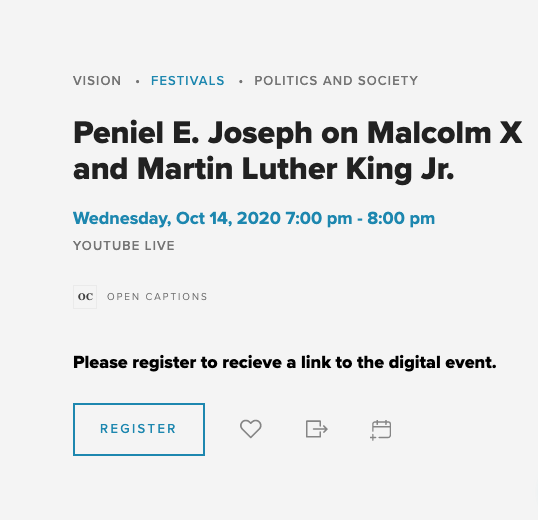
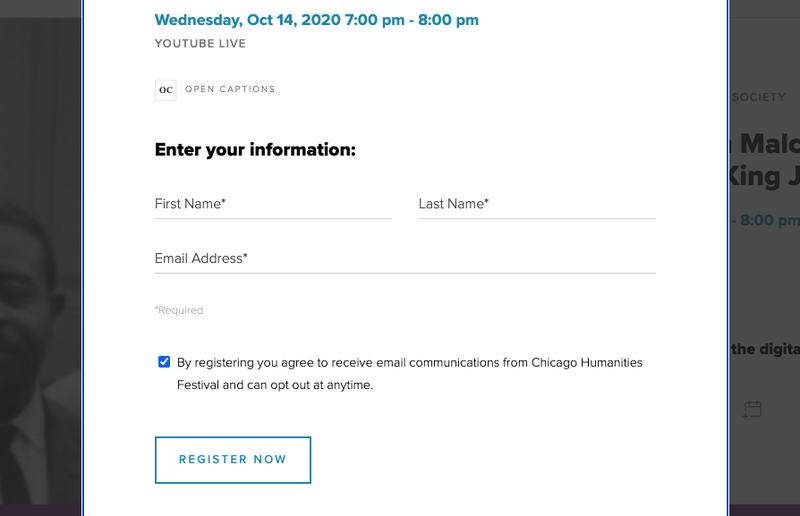
Once you click the "Register" button, a form will pop-up to complete registration. You will need to submit your First Name, Last Name, and Email. Your email is necessary to receive the YouTube link.
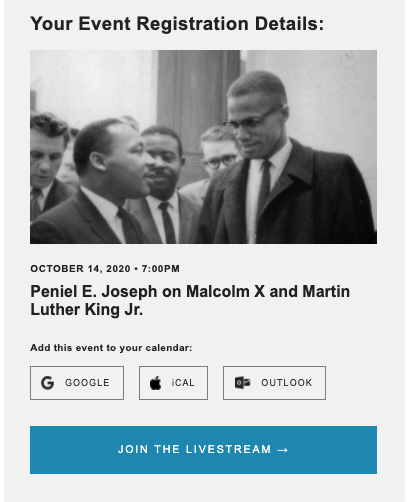
Once filled out, you will select the "Register Now" button. You will automatically receive a receipt in your email inbox that includes the link to the live-stream. Make sure you keep this email saved! If you did not receive an email, make sure your email address is spelled correctly. If you followed all the steps and still did not receive a link, contact tickets@chicagohumanities.org.
Accessible Accommodations
All programs will be captioned. If you need an accessible accommodation such as ASL interpretation or Audio Description to enjoy this program, please email access@chicagohumanities.org.
Step 2: Arrive at the YouTube Page
There will be a YouTube link in your email confirmation where you can view the program during the scheduled time. If you are watching on a smartphone or tablet, we recommend opening the stream in the YouTube app (available for free in the App Store and Google Play).
When you click the link to join the conversation, you will be greeted by a screen with a "live countdown" at the bottom left corner of the video that tells you when the program will start. You can even set a reminder if you choose.
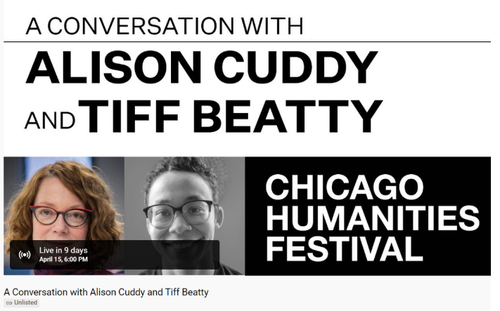
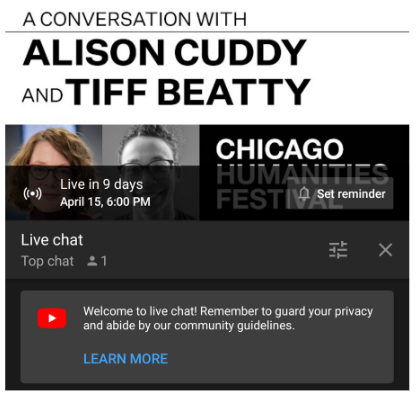
Now you wait for the program to begin, just like at any in-person CHF event!
Step 3 (Optional): Ask Questions
Some programs will feature a live Q&A and others will require questions to be presubmitted via a form ahead of time. See the individual event page for more information.
For programs featuring a live Q&A:
In order to ask questions, you must be signed into YouTube. If you have a Gmail/Google account, you can sign in with your information. Otherwise, you can create a new account. You do NOT need to have an account to watch the program, but you do need a Google/Gmail account to submit questions through the chat box.
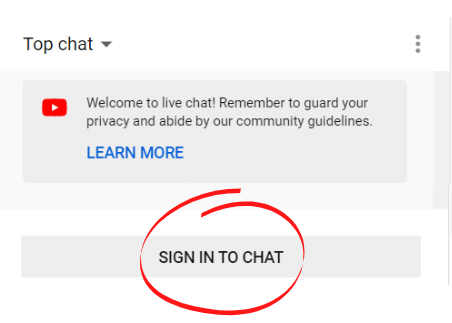
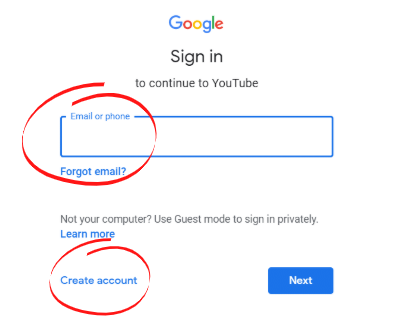
Tips for the Live Digital Q&A
Q: How do I ask questions?
A: If you are signed into a Google/YouTube account, at any point during the program, you can ask questions in the live chat box. Your question and username will be visible to anyone watching the program.
Q: When will questions be answered?
A: Depending on the program, some presenters might answer audience questions throughout the program and some might wait until the end. They will tell you their approach.
Q: I have a question for the presenter. Will my question be answered during the program?
A: The presenter(s) will decide which questions to answer, but will try to respond to as many questions as possible. Off-topic comments or duplicate questions may not be answered. Inappropriate comments and hate speech will be removed by a CHF administrator.
Q: What if my question is for CHF in general, not the presenter (for example, about membership or upcoming programs)?
A: Contact our Audience Services team and they will direct you to your answer. Email tickets@chicagohumanities.org or call the box office at 312-605-8444.
Accessibility
All digital programs will be captioned. Live programs will have realtime closed captions, and closed captions will be included in the archived video of the program.
For additional services such as Audio Description or American Sign Language Interpretation, email access@chicagohumanities.org or call (312) 605-8444. Provide as much notice as possible, but we ask for at least one week ahead of your desired program date.